
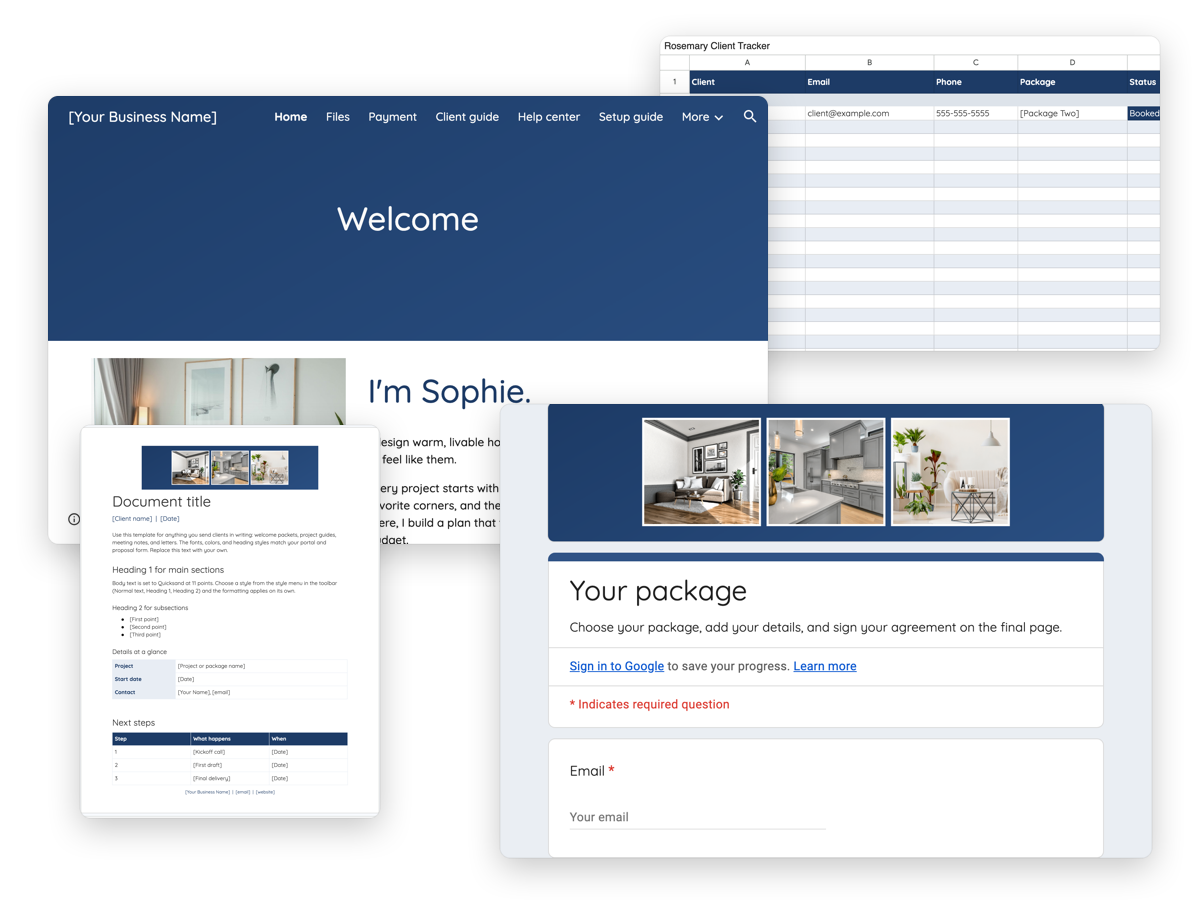
Why we made Rosemary for Google Workspace
Classic, connected, and built on tools you already have.
Not every business runs on Dubsado or HoneyBook, and some step away for a season. Rosemary for Google Workspace carries the same Rosemary design into Google Sites, Forms, Sheets, and Docs, so each client moves through one portal from proposal to signed agreement to kickoff call. A free Google account is all it takes.
Rosemary’s palette. Every color changes in Google’s own theme settings, no code needed.
Navy #1D3B66
Mist #E8EDF4
Charcoal #333333
- One portal per client Set up your master portal once, then copy it for each new client in about 10 minutes.
- Signed online Clients choose a package, add their details, and sign your agreement in one form. They receive an email copy when they submit.
- Totals that add up Your client tracker calculates paid, balance, booked, and outstanding from your payment log.
For anyone looking to…
- Give clients one organized place for their proposal, payment, booking, and files.
- Collect signed agreements without paying for a separate signing tool.
- Run a structured client experience on free Google tools while their business grows.
- Keep one consistent design across their portal, proposal, and client documents.
- Track clients and payments without building a spreadsheet from scratch.
Inside the portal
What’s in Rosemary for Google Workspace
Rosemary arrives as a complete Google Sites portal, with a proposal form, a client tracker, and a document template behind it. Every page holds sample content, so you see a finished portal before you make it yours.
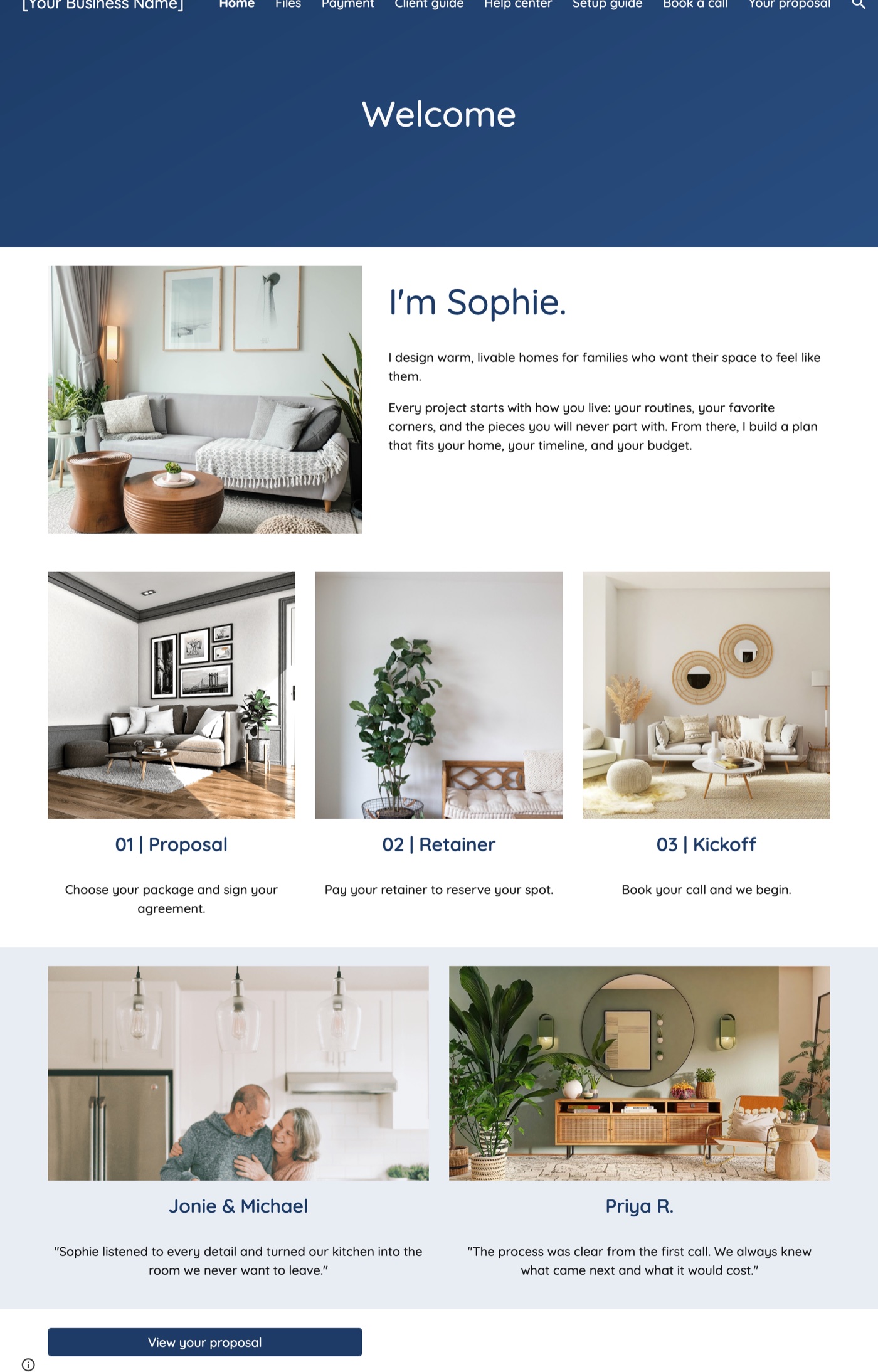
- 1.6% | left | Portal navigation | Eight pages, from Your proposal to Files, in the order clients need them.
- 9.8% | right | Branded banner | Your colors and header image, set once in the Google Sites theme.
- 23.4% | left | About you | Your photo and a short introduction before any details.
- 63% | right | Three-step process | Proposal, retainer, and kickoff, so clients always know what comes next.
- 89% | left | Testimonials | Two client stories, each with a photo.
- 97% | right | Proposal button | Sends clients straight to their proposal.
The proposal form
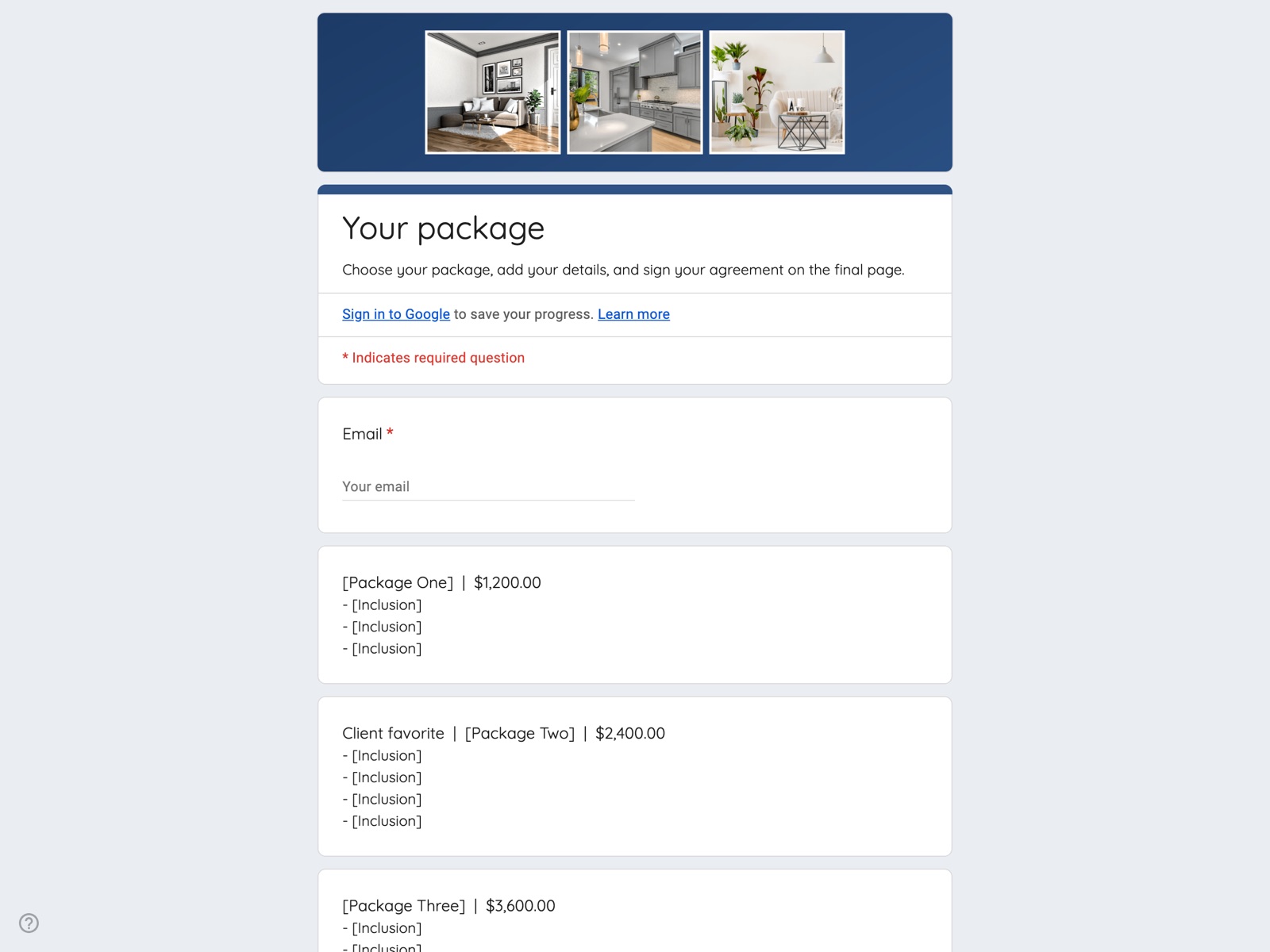
A proposal clients sign online
Built in Google Forms across four pages: packages, client details, your agreement, and next steps. Every submission lands in your form’s responses with Google’s timestamp, and your client receives an email copy.
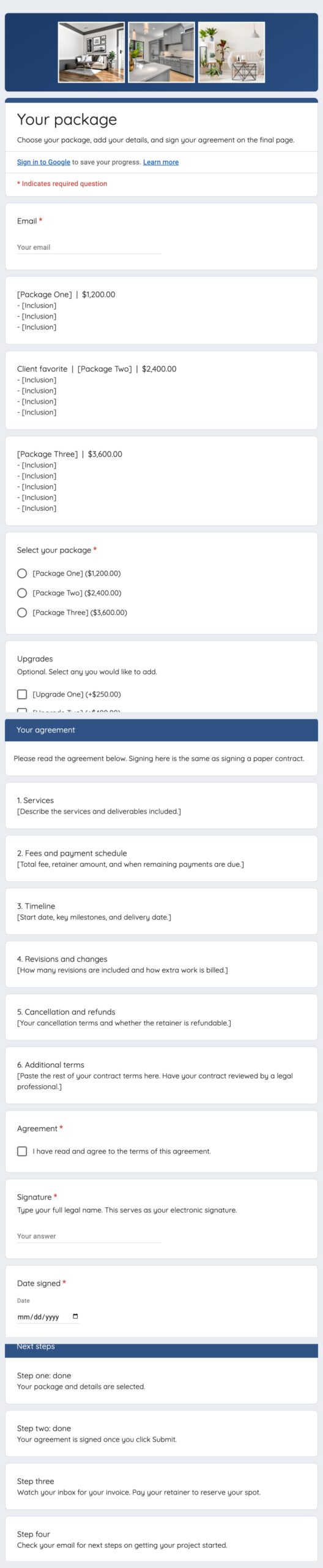
- 1% | left | Your header image | Your banner and photos, set in the form’s theme.
- 19% | right | Package descriptions | Each package with its price and what it includes.
- 35.5% | left | Package choice | Clients select the package they want.
- 42.7% | right | Upgrades | Optional add-ons, each with its price.
- 51% | left | Your contract terms | Six sections you fill with your own wording.
- 73.4% | right | Agreement checkbox | Clients confirm they have read and agree to the terms.
- 77% | left | Typed signature | Clients type their full legal name as their signature.
- 82% | right | Date signed | Recorded alongside Google’s submission timestamp.
- 88% | left | Next steps | Shows clients what happens after they submit.
The client tracker
Clients and payments, in one sheet
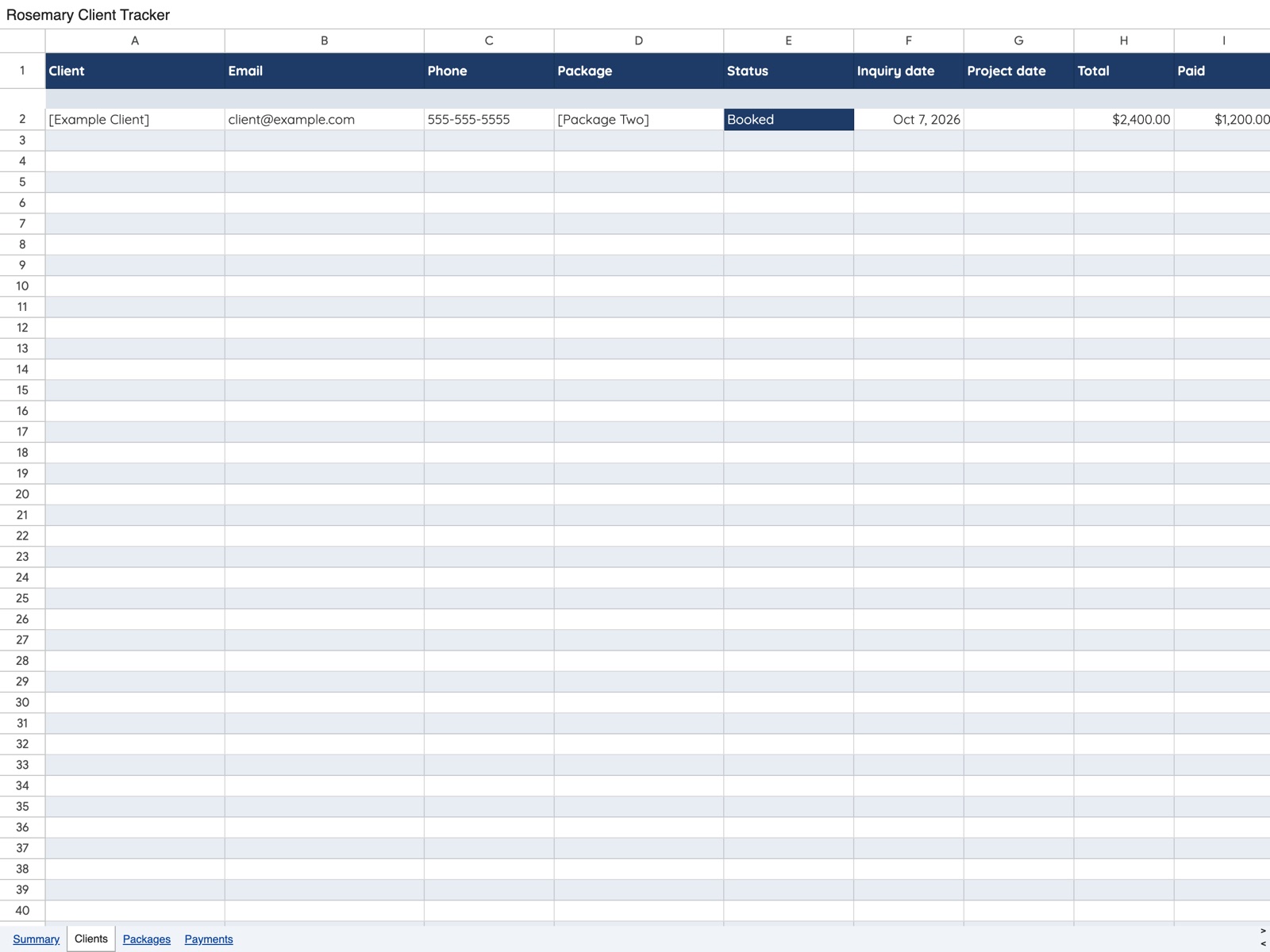
A Google Sheet with four tabs. Choose packages and statuses from dropdowns, log payments as they arrive, and the totals calculate on their own.
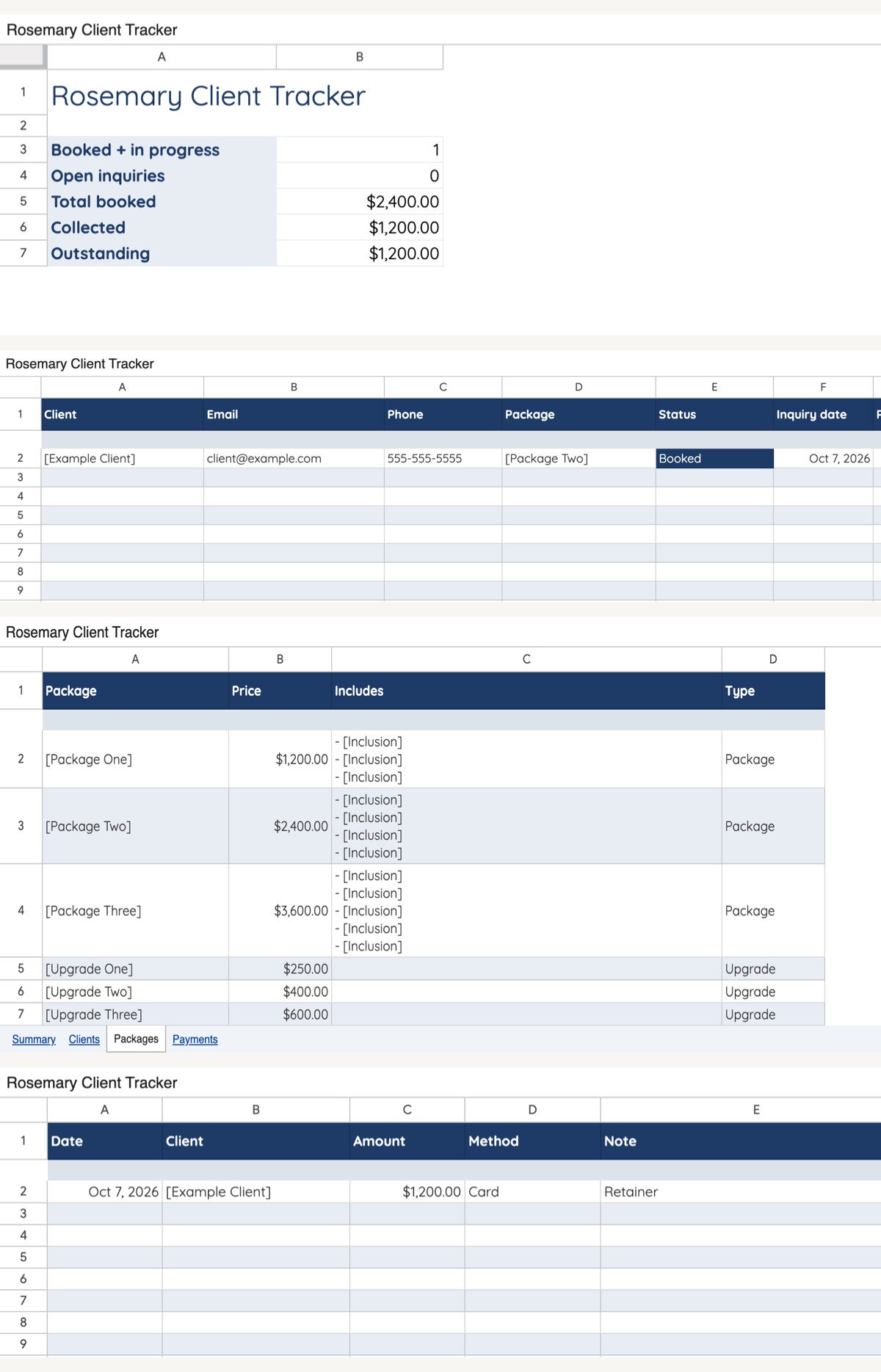
- 12% | left | Summary | Booked projects, open inquiries, total booked, collected, and outstanding.
- 30% | right | Clients | One row per client, with package and status dropdowns.
- 38% | left | Totals that fill in | Each client’s total comes from the Packages tab.
- 55% | right | Packages | Your packages and upgrades with their prices, in one place.
- 84% | left | Payments | Log each payment with its date, amount, and method.
The document template
Every document, on brand
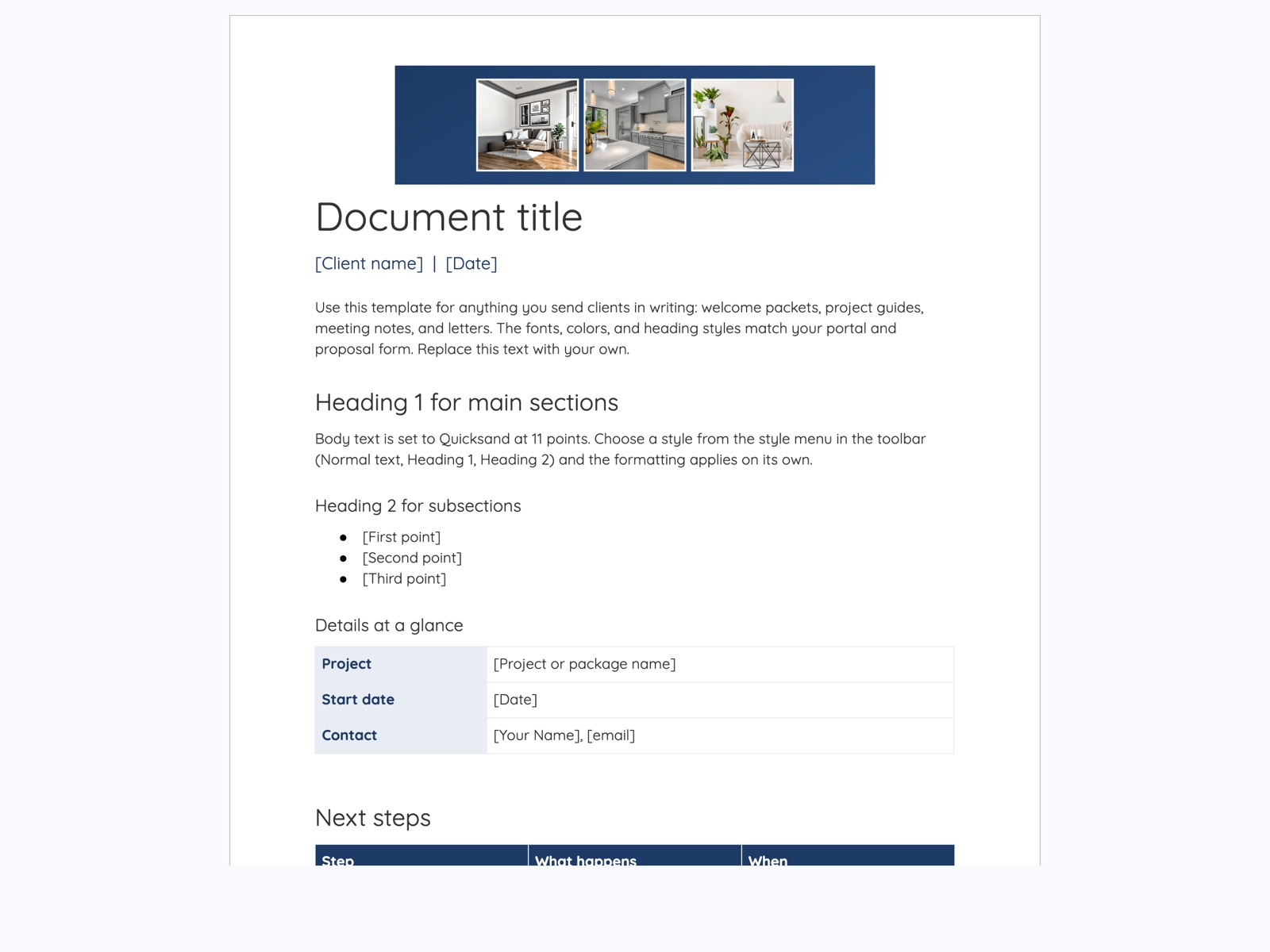
A Google Doc with your header, fonts, and heading styles already set. Use it for welcome packets, project guides, meeting notes, and letters, so everything you send matches your portal.
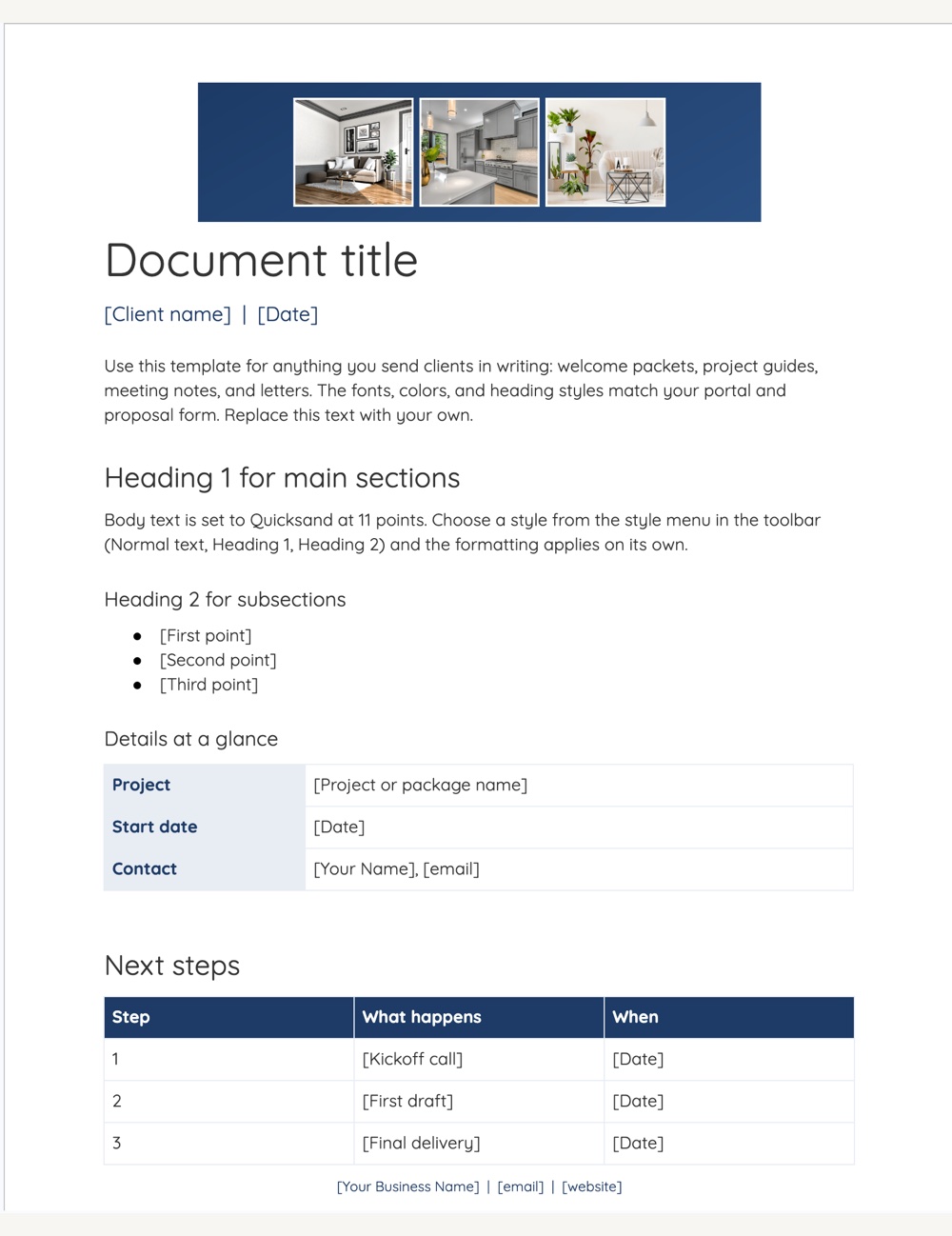
- 15% | left | Your header image | Your banner at the top of every page.
- 23% | right | Title styles | Title and subtitle in your heading font and color.
- 41% | left | Heading styles | Heading 1 and Heading 2 preset, so formatting applies on its own.
- 66% | right | Details table | A ready table for project details.
- 86% | left | Next steps table | Steps and dates, with headers in your brand color.
- 98% | right | Footer | Your business name, email, and website on every page.
Every piece, included
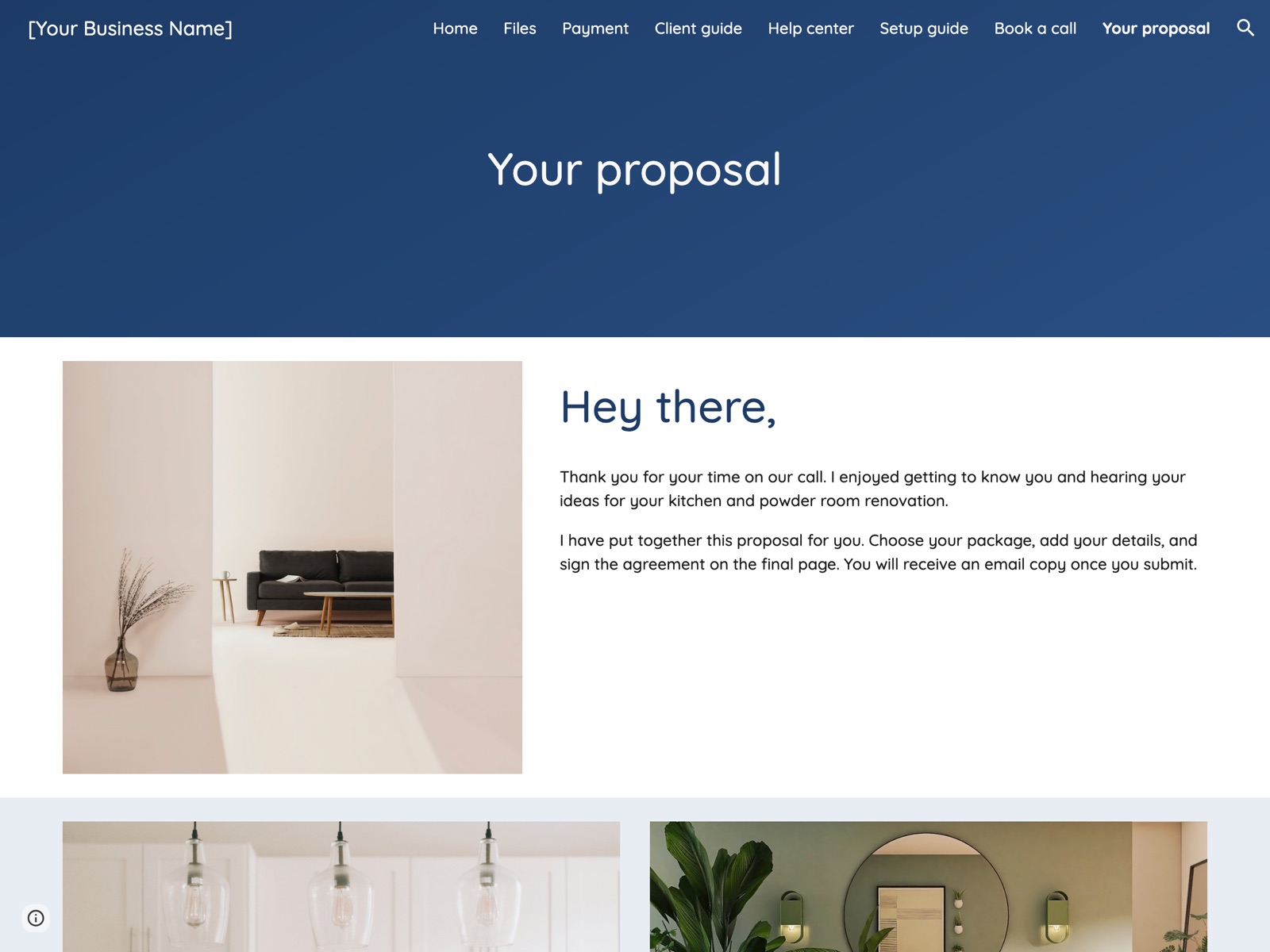
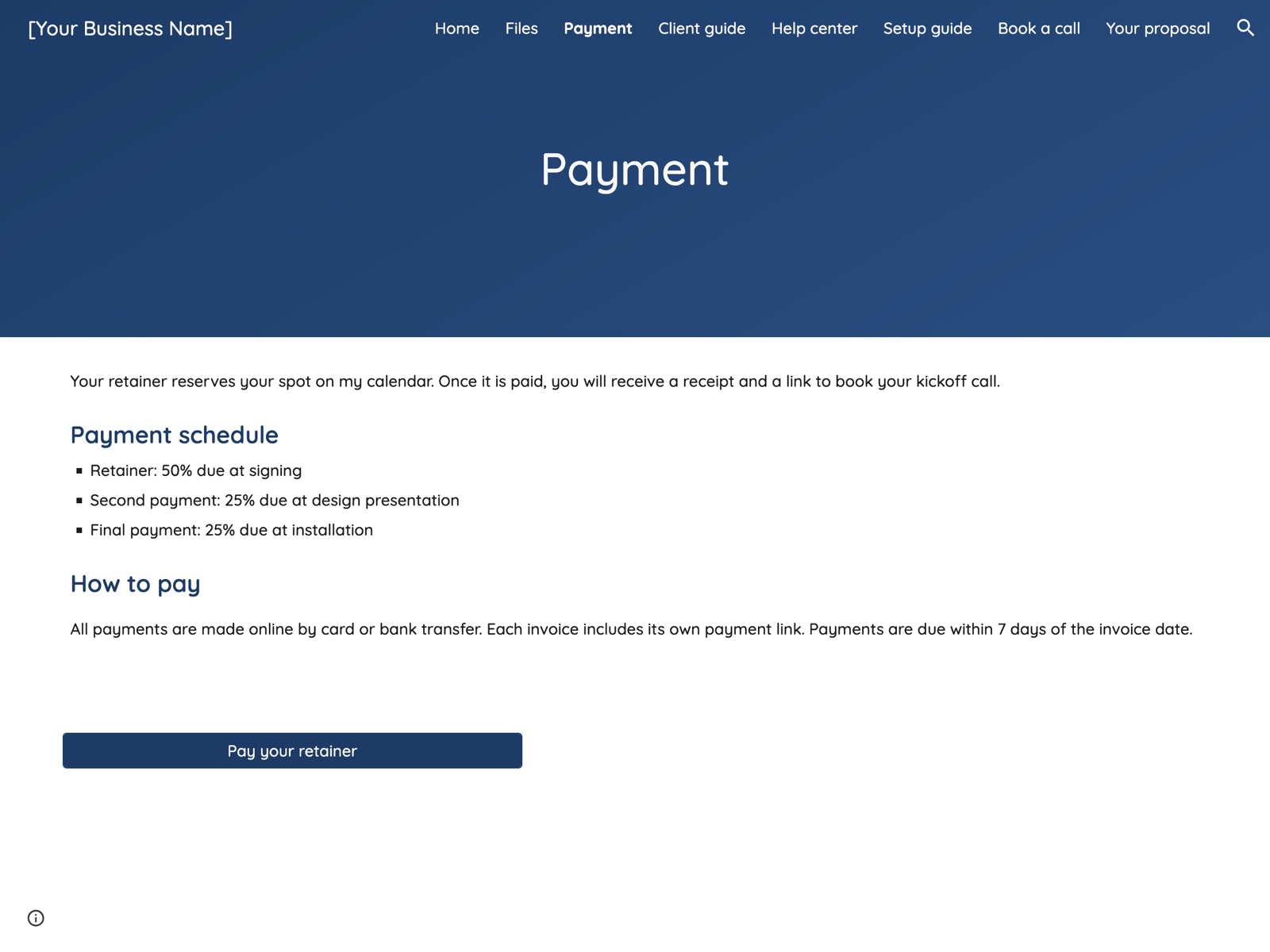
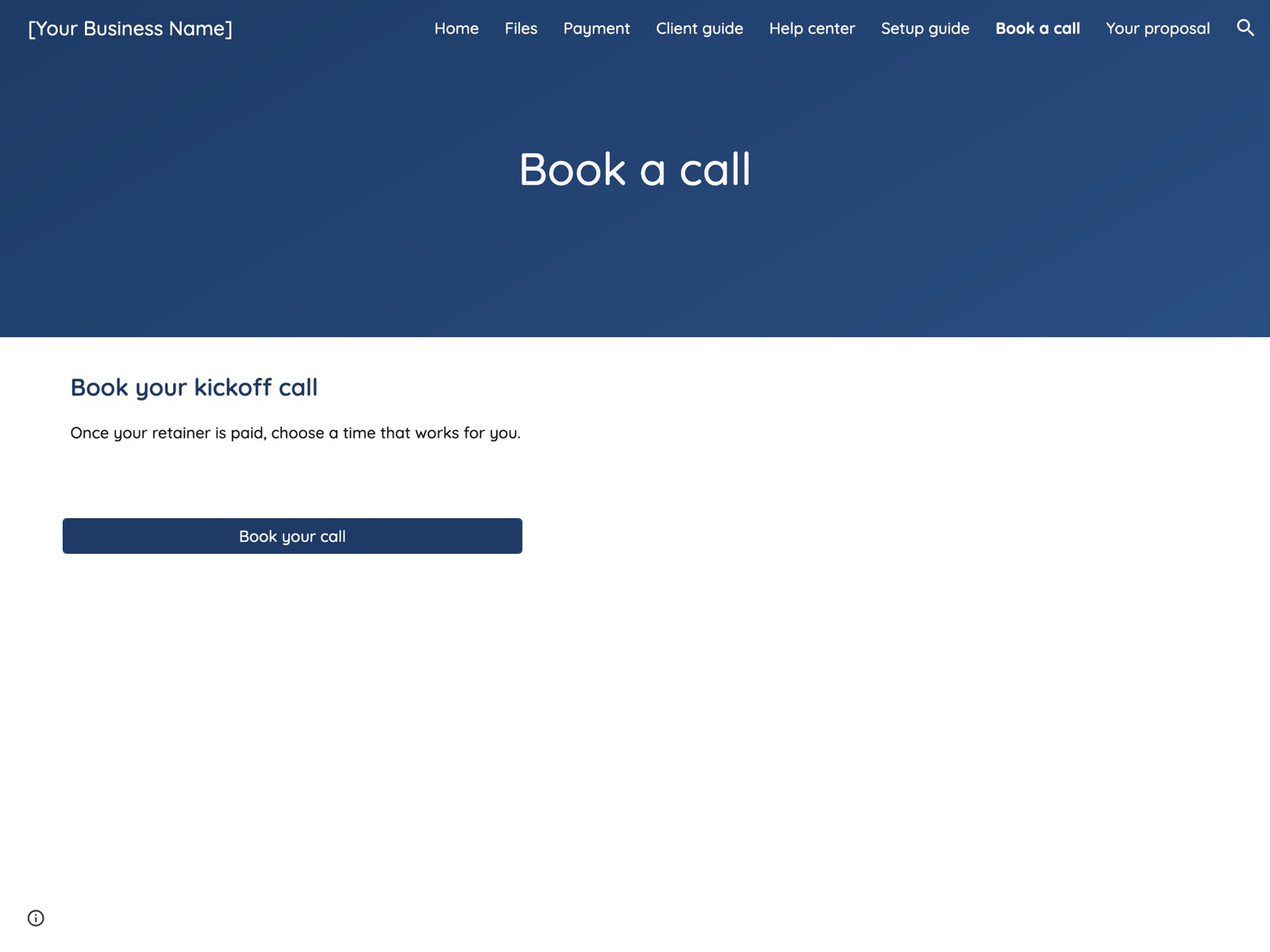
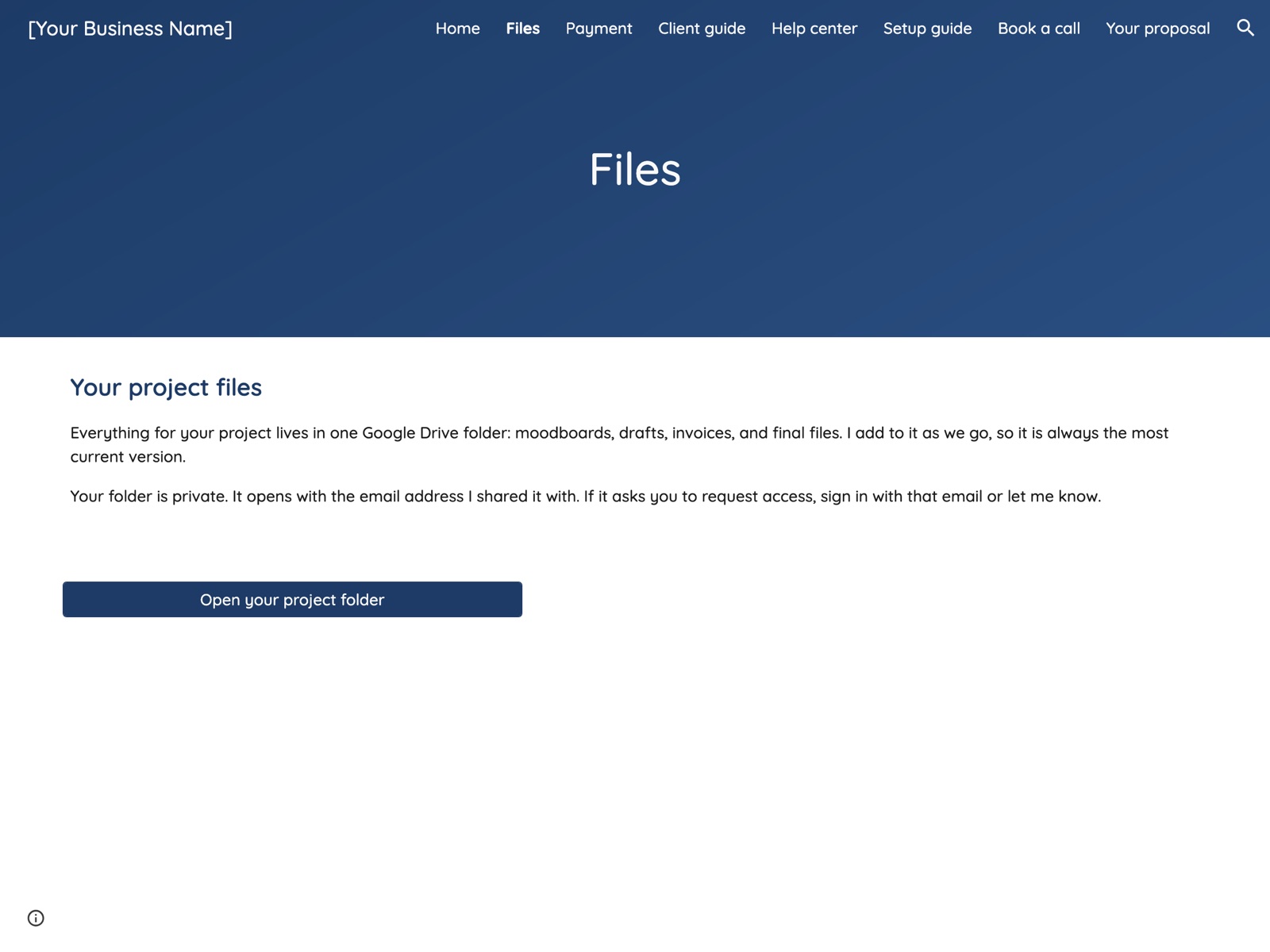
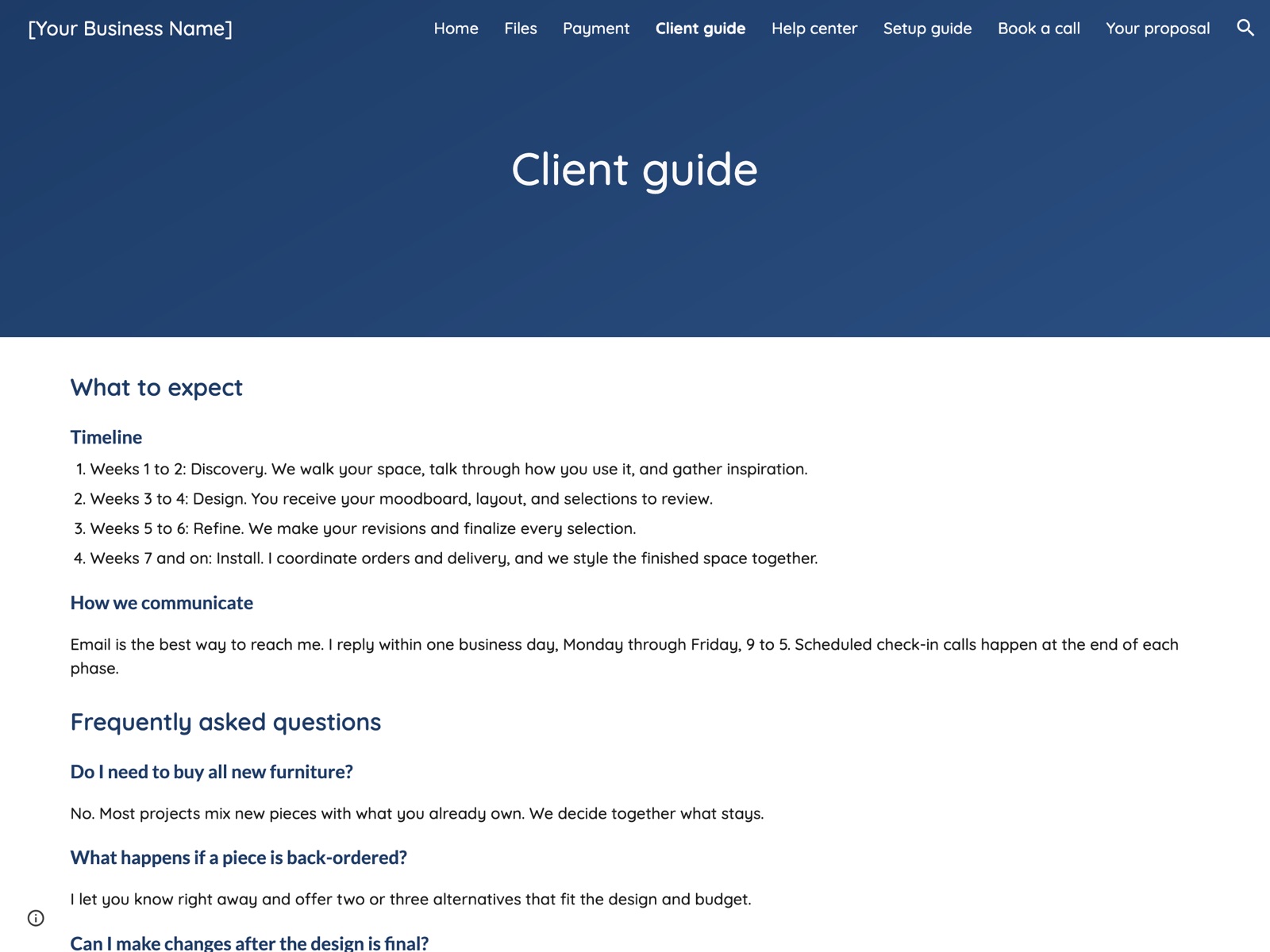
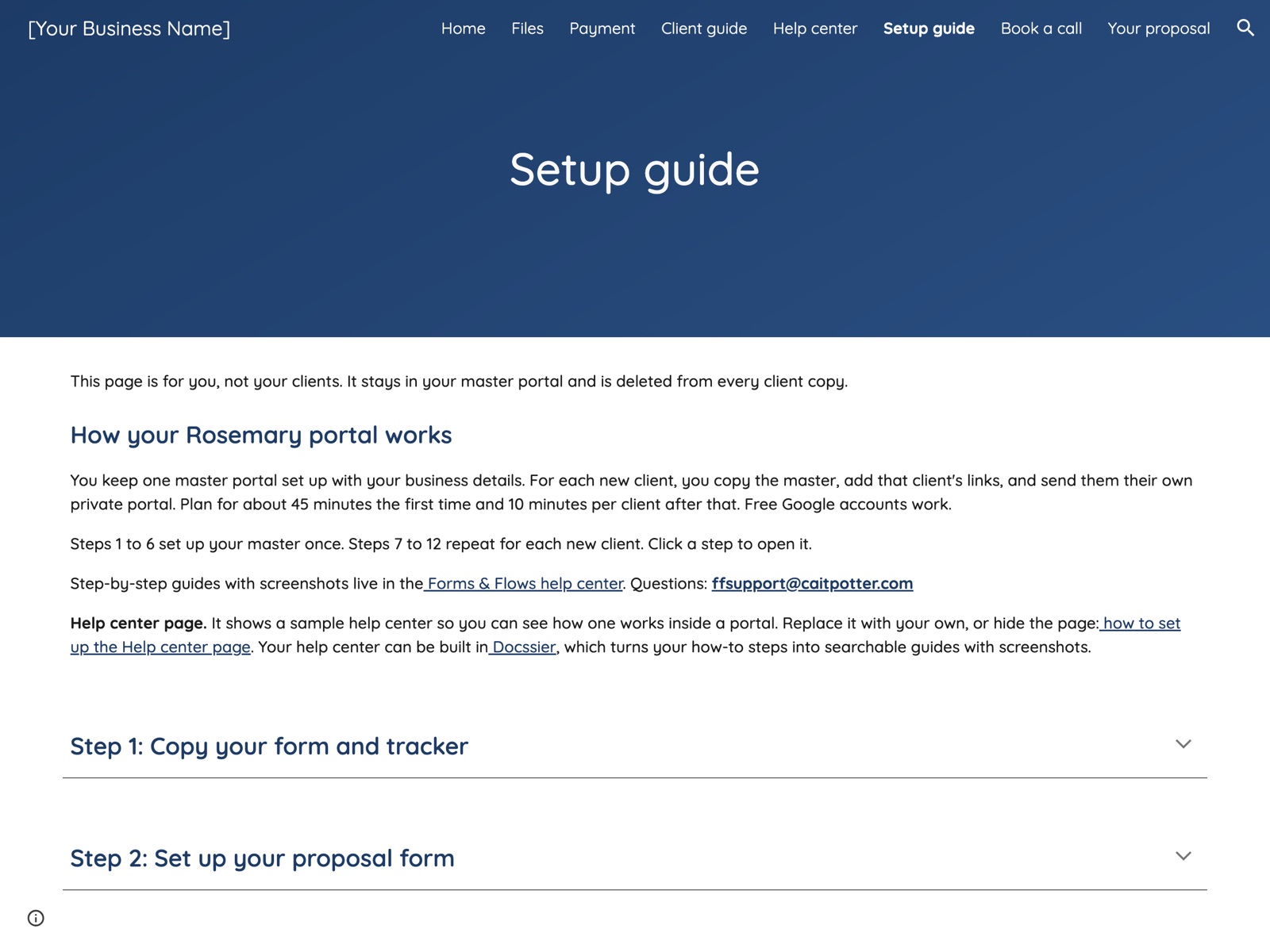
Six portal pages and the three Google files behind them. Select a page to see it on the live demo portal.
How it works
Set up once, then about 10 minutes per client
Step-by-step guides with screenshots walk you through every part, inside your portal and in the Forms & Flows help center.
- Copy your kit Copy the portal, proposal form, client tracker, and document template into your Google account.
- Make it yours Add your packages, contract terms, booking page, payment link, and branding.
- Copy it for each client Make a copy of your master, add the client’s links, and publish their private portal.
- Track the work Log clients and payments in your tracker. Totals calculate on their own.

