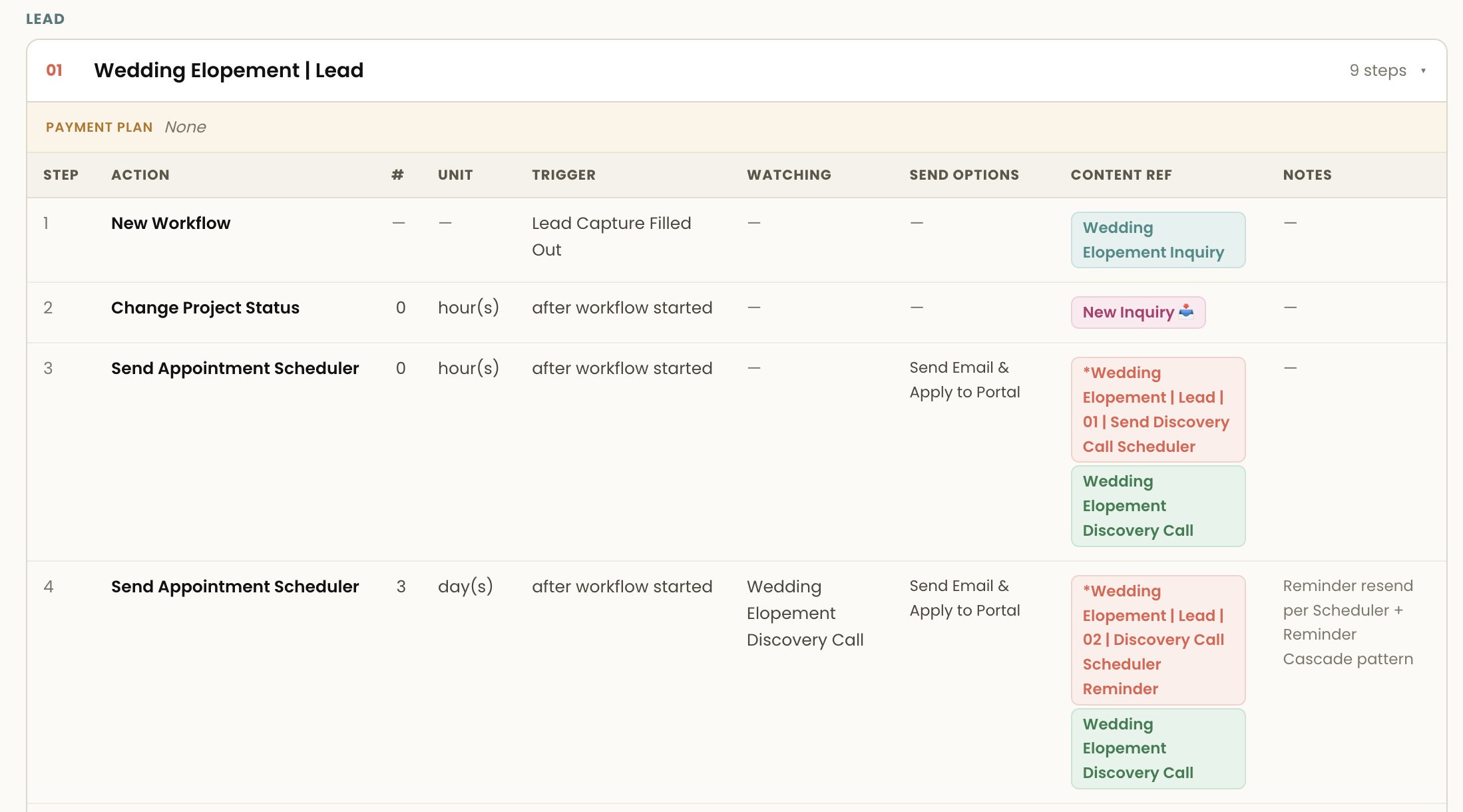
Workflows are the last thing you build in Dubsado, not the first. They are made almost entirely of references to other things, so building one before those things exist means building it twice.
Here is the order, and why each layer has to come before the next.
The dependency chain
A workflow action does one of a small number of things. It sends a canned email. It applies a form. It requests an appointment. It changes a project status. It starts a payment plan. It assigns a to-do.
Every one of those is a pointer to an object that has to already exist. That is the whole reason for the order below.
Layer 1: Account settings
Do these once and stop thinking about them.
- Business information, brand email, and sender name
- Locale and currency
- Email settings, so your mail actually sends from your domain
- Calendar and time zone, before you build any scheduler
- Payment processor connection
Time zone in particular is worth getting right first. Every scheduler and every date-based workflow trigger inherits it, and correcting it later means checking everything that depends on it.
Layer 2: Project statuses
Statuses are the most common blocker, because they are the thing workflows trigger on and the thing people set up last.
Write your lead statuses and job statuses to describe stages of your process, not types of work. Wedding and Portraits are tags. Proposal Sent and Awaiting Final Payment are statuses.
Keep the list short and make each one answer what happens next. Contract Signed is a poor status because it does not tell you whether you are now waiting on payment or starting onboarding.
Layer 3: Packages and payment plans
Packages carry your pricing and scope of work, and your proposals pull from them. Payment plans define the schedule your invoices follow.
Build payment plans around the schedule rather than the service. A 50/50 split covers most work, and one plan reused across six services is far less to maintain than six near-identical plans.
Both of these have to exist before a proposal can reference them, and a proposal has to exist before a workflow can send it.
Layer 4: The pieces the workflow will call
Now build the things your workflow points at.
- Canned emails. Name them predictably, along the lines of [Service] | Welcome. You will be selecting these from a dropdown inside a workflow, and that dropdown is alphabetical.
- Forms. Lead capture, proposal, contract, questionnaires. One master lead capture with conditional logic beats five separate ones.
- Schedulers. One per length and location combination, not one per service. Availability is set per scheduler and you will feel every extra one.
Build only the pieces the service you are mapping actually needs. Building a full library first is how people spend three weekends and never reach a working workflow.
Layer 5: The workflow
By this point the workflow is assembly rather than invention. Each action selects something that already exists, in an order you already decided.
Make the final action of your last workflow Archive Project, so cleanup stops being a task you remember to do.
Layer 0, which comes before all of it
There is a step before the settings, and skipping it is why most people end up rebuilding layers 2 through 4.
You cannot name your statuses until you know your stages. You cannot know which canned emails to write until you know where the process waits. You cannot decide whether one scheduler or three until you know how many kinds of meeting your service involves.
All of that comes from the sequence, and the sequence is a thinking problem you solve on paper, not in Dubsado.
The output of that thinking has a name: a Workflow Map. The ordered actions and triggers for one service, with every piece it depends on named in advance. With one in front of you, the five layers above stop being decisions and become data entry.
Get yours first
Map Before You Build is free. You map the service you sell most often, then generate a build-ready Workflow Map for it in Dubsado Alchemy at no cost, with the emails, forms, schedulers, and payment plans drafted around the sequence.
Then work the layers above, in order, and build each piece once.